A workspace
that feels like yours.
Six animated backdrops. Your colors. Just enough frost. Create a look for BB and preview every adjustment as you go.
Install in BB No account, API key, or subscription.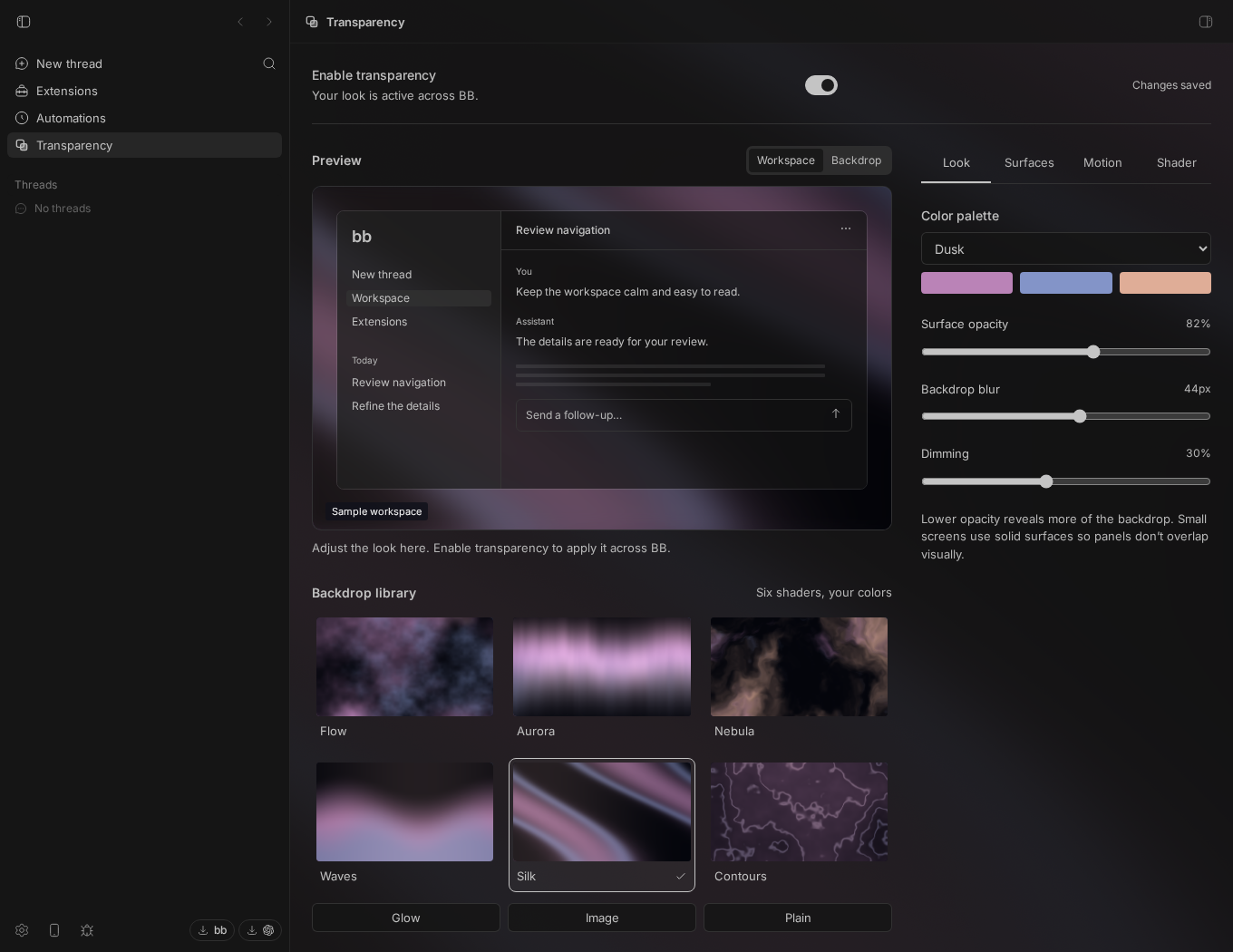 Full size
 Find your backdrop
Choose from six animated backdrops, match your BB theme, or bring your own wallpaper URL.
Keep the work readable
Adjust opacity, dimming, and blur to balance atmosphere with legibility.
Create your own shader
Import or write GLSL, preview it, then save it to your local library. Export your favorites to share with your team.
Make it calm
Choose motion and rendering quality. Reduced motion uses a still frame; compact screens keep reading surfaces opaque.
Make something
only you have.
Start from an example, import a GLSL file, or write your own. Preview the shader, check the result, then save it to your local library.
Keep up to eight shaders and export your favorites for your team. Resetting appearance keeps your library.
Read the shader guide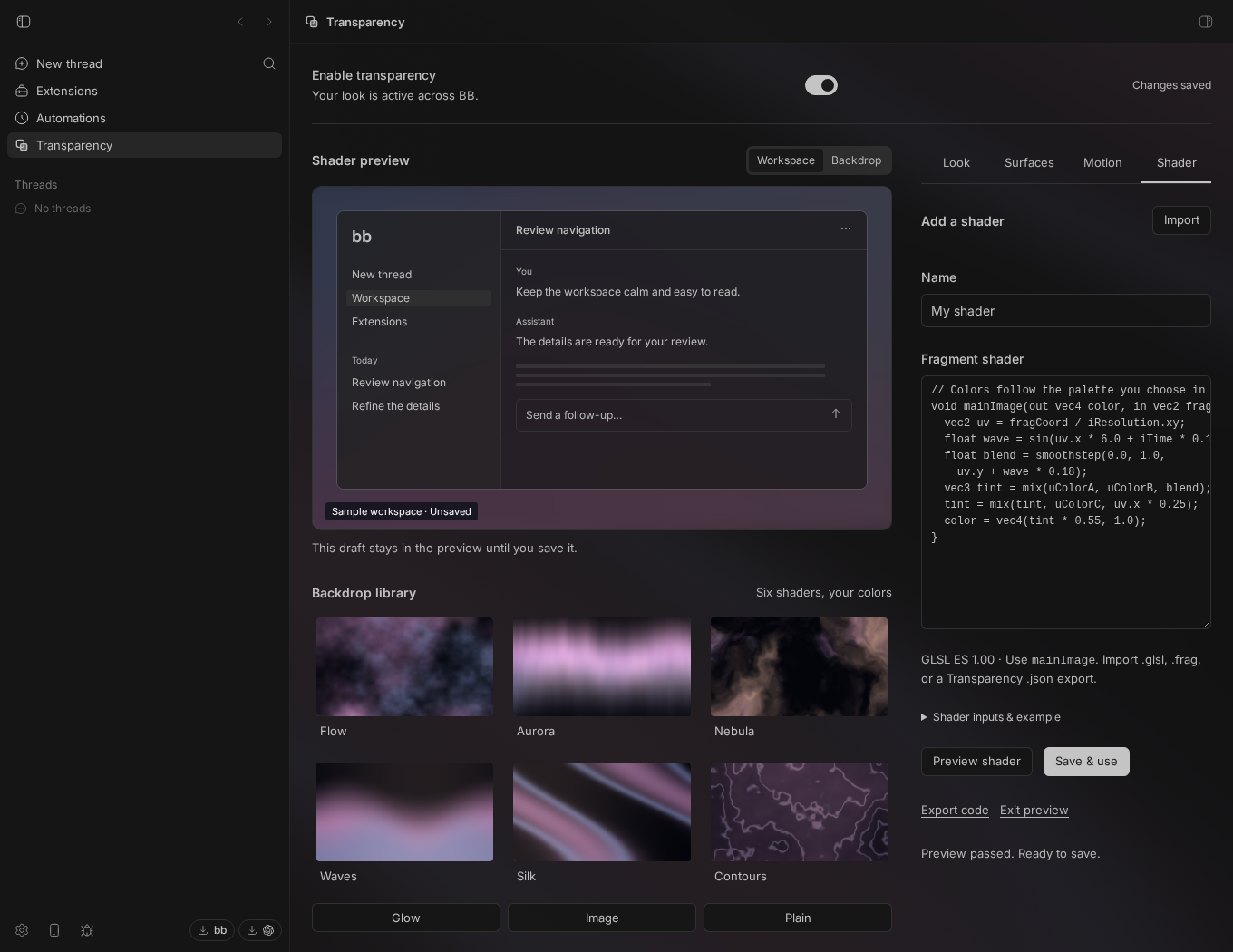
Make yourself at home.
Open Extensions in BB, search Transparency, and install the listing by Pritam Sharma in BB Community.
Or run this on the machine running BB:
bb plugin install glass@bb-communityNo extra marketplace needed. If the listing is missing, refresh BB Community with bb marketplace refresh bb-community.
Add my marketplace too Optional
Keep my collection in your BB catalog as I publish more extensions. Plugins already listed in BB Community don’t need it, so adding this marketplace is optional.
bb marketplace add git:github.com/notpritam/bb-marketplace@mainAdding a marketplace installs nothing. Choose which plugins to install and refresh the catalog to discover new listings.
View my marketplace on GitHubYour first backdrop
- Open Transparency from the BB sidebar or Settings. BB 0.41+ is required.
- Enable transparency, then choose a backdrop from the library.
- Adjust Look, Surfaces, and Motion. Your preferences save automatically across windows of this BB installation.
Small screens keep reading surfaces opaque. Reduced motion uses a still frame, and hidden tabs pause animation.
A little atmosphere.
Room for the work.
Does it work in a remote BB window?
Yes. The backdrop renders in the browser or BB client you are viewing, including when BB runs on a VM. Settings apply across this BB installation. Graphics support and performance depend on that client’s browser and hardware.
Does it make the native window transparent?
It changes the backdrop inside BB. It does not reveal your desktop through the native window.
Where do my settings and shaders go?
They stay in this installation’s plugin storage. Wallpaper URLs load directly from their original website in your browser. No separate account or hosted shader service is involved.
How do I update it?
Use BB’s plugin update controls to install compatible releases. You choose when to install an update.