Keep the detail while you are there
Take a region or full-page screenshot, save a highlight, bookmark a link, collect an image or tweet, or write a quick note.
 Capture & personal libraryAvailable
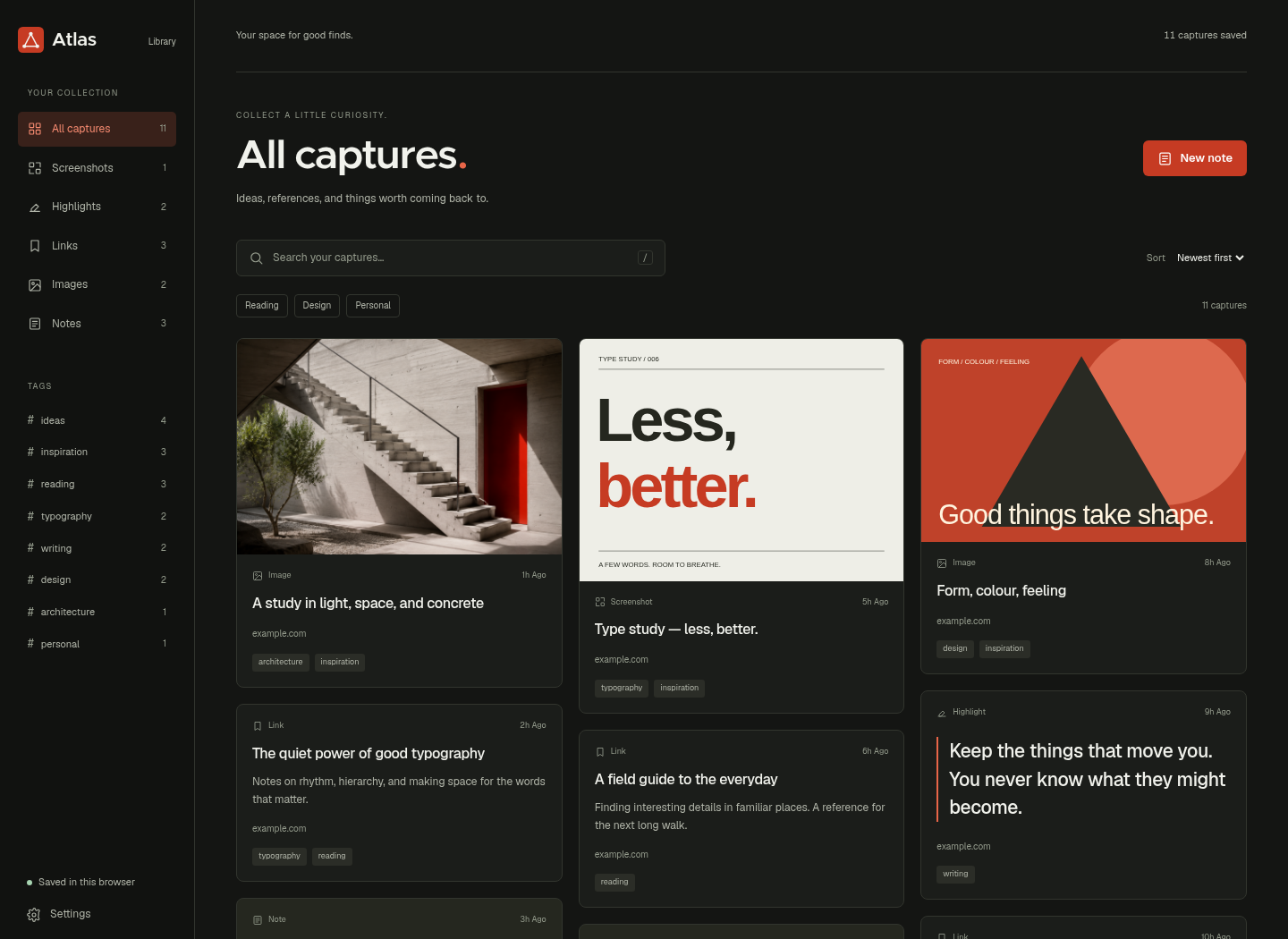
I built Atlas to keep the things that catch my eye: a screenshot, a useful sentence, a page, or an unfinished thought. The redesigned Chrome extension brings them into one searchable local library, with a new capture popup and a visual collection that keeps the source close.
Useful pages, screenshots, and small discoveries disappear across tabs and folders. Even when something is saved, the context may be missing when you or your agent need it later.
Keep capture close to the page, then give each saved item room in a visual library. Search, type filters, tags, and categories help you find it again. The core collection works in your browser without an account or companion; enrichment and agent access are optional additions.
What the product brings into one place.
Take a region or full-page screenshot, save a highlight, bookmark a link, collect an image or tweet, or write a quick note.
The redesigned library gives images, text, and links their own readable cards, with keyword search and filters for type, tag, and category.
Capture, browse, and search without an account or companion. Page titles and source links stay attached to your collection.
An optional companion adds OCR, summaries, and suggested tags. Separate MCP browser tools let an agent work with a tab you explicitly enable.
Walk through the product, one step at a time.
Download the extension from the Atlas website, unzip it, and load the folder through Chrome’s extensions page in Developer mode. Pin Atlas so it is close at hand.
Decisions, boundaries, and the current state of the work.
The landing page, capture popup, and library now share the Studio design: warm paper, charcoal surfaces, vermilion accents, and a clearer hierarchy around the things you save.
Open the product or explore its source material.